During my time at the City of Durham, I participated in IdeaStarter, a program that gave employees an opportunity to propose and explore an idea. Through the process I got to explore usability testing and identify several ways to enhance the site based on user feedback.
The program, led by the Office of Performance and Innovation (OPI) encouraged City employees to bring their ideas to receive funding for prototype testing and potential implementation, and brings participants together as they build out their ideas through a hands-on human-centered curriculum.
Below is a recap of my exploration of usability testing to enhance the City’s website.
The Idea
With more than 6 million pageviews on DurhamNC.gov in FY20-21, we know a lot of people use the City’s website. However, we don’t know much about their experience finding information or completing tasks.
- How can we capture and use feedback from website users to help improve their experience?
- How might we work usability testing into our web development/content creation process?
The Process
- Interviewed peer stakeholders, including Durham County Library and State of North Carolina;
- Researched available testing tools and best practices;
- Drafted and conducted two rounds of usability testing for top five web tasks on the City’s website;
- Compiled and shared test findings to make web updates/improvements;
- Created presentation to share usability testing tips, tools, and resources with colleagues.
The Testing
Participants
- Group 1: IdeaStarter employees from various departments (5)
- Helped with run-through testing
- Helped with run-through testing
- Group 2: Durham Neighborhood College participants (7)
- Offered $10 restaurant gift cards
- Used Microsoft Bookings tool to easily schedule sessions
Test Scenarios
For the tests, I identified five of the most common tasks completed on the site. In order to observe the full user journey, users were not guided to start at durhamnc.gov.
- Task 1: Pay water bill online
- Prompt: Your water bill is due soon and you want to pay it online. Where would you go to complete this task?
- Task 2: Find trash collection schedule
- Prompt: You want to confirm when to put your trash cart by the road for pick up. Where would you go to find this information?
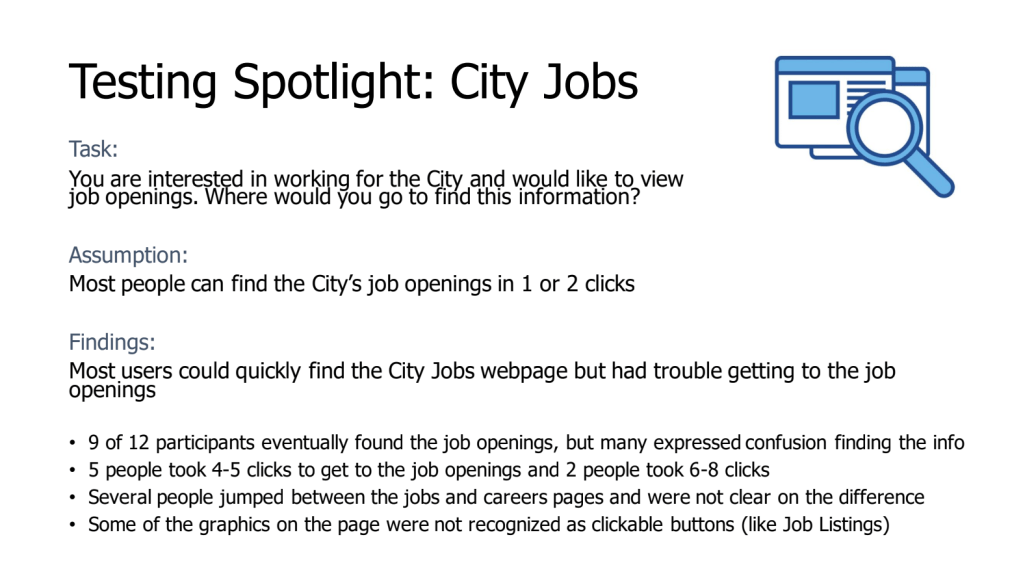
- Task 3: View City job openings
- Prompt: You are interested in working for the City and would like to view job openings. Where would you go to find this information?
- Task 4: Submit service request
- Prompt: Your trash was not picked up and you need to notify the City. How would you report this?
- Task 5: Sign up for yard waste service
- Prompt: You do a lot of gardening and would like to sign up to have your clippings and leaves collected each week. Where would you go to sign up?
Results:
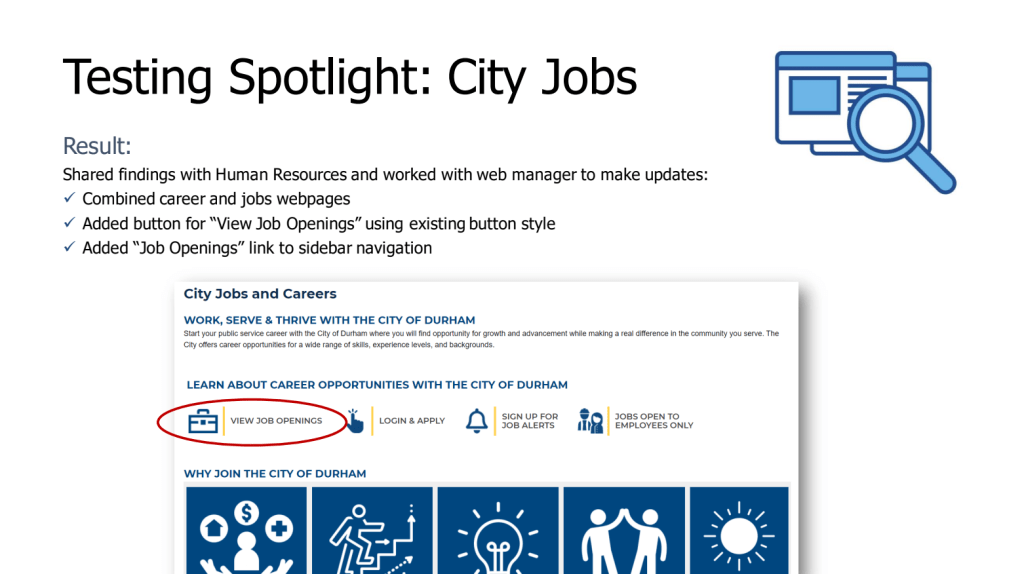
Following testing, summary reports were created for each task with recommended updates to improve site usability. See example report for Task 2: Find trash collection schedule and Task 3: View City job openings.
Measures:
- Completion rate
- Number of clicks to complete task
- Time to complete task
- Search terms
Key Learnings
- Many peer organizations utilize usability testing, some have dedicated roles/resources for this purpose
- Testing can be done fairly easily with existing tools and resources
- Ideal to test during web or app ideation/creation vs. testing after the fact
- Almost any testing is better than no testing
- Usability testing should be viewed as a learning opportunity and approached with an open mind
- Ideal to include affected staff and stakeholders throughout the testing process